
JDM AI Intelligence Portal™ Article
AI Tools Need Workflows
Why more apps do not always create more progress.
AI tools can be powerful, but scattered tools without a workflow often create more clutter than progress. The real advantage comes from knowing where each tool fits inside a repeatable business process.
Explore AI Workflows for Solopreneurs →

AI tools are everywhere.
Every week, there is another app, another recommendation, another “must-have” platform, and another promise that this tool will finally make work easier.
At first, that sounds exciting.
But for many solopreneurs, digital marketers, and small business owners, the result is not more clarity.
It is more clutter.
More saved links. More open tabs. More subscriptions. More experiments. More scattered action.
The problem is not always a lack of AI tools.
The problem is that the tools are being added without a clear workflow to support.
Key Idea
More AI tools do not automatically create more progress. Tools without clear roles often create noise instead of momentum.
Watch: The Tool Is Not the System
A tool can help, but a tool is not the system. This short video explains why AI tools become more useful when they support a clear workflow.
Explore the AI Intelligence Portal →Why So Many People Feel Overwhelmed by AI Tools
Most people are not overwhelmed because AI is too advanced.
They are overwhelmed because they are trying to use too many tools without a clear plan.
They hear about one tool for writing, another for graphics, another for video, another for email, another for research, another for automation, and another for scheduling.
Before long, they are not building a system.
They are collecting tools.
And tool collecting can feel productive while still producing very little.
“What AI tool should I use?”
The better question may be:
“What job does this tool need to support?”
That one question shifts the focus from hype to function.
“The better question is not, ‘What AI tool should I use?’ The better question is, ‘What job does this tool need to support?’”
Every AI Tool Needs a Job
Before adding another AI tool, define its role.
Ask:
- Is this tool supposed to help with research?
- Is it supposed to support writing?
- Is it supposed to help organize content?
- Is it supposed to improve follow-up?
- Is it supposed to help create graphics?
- Is it supposed to simplify a repeatable task?
If the role is not clear, the tool will likely create more friction than value.
A useful AI tool should support a real task, a repeatable process, and a clear outcome.
That is what turns a tool from a distraction into an asset.
Simple Rule
If the tool does not have a clear job, it probably does not belong in the workflow yet.
Workflow First. Tool Second.
The process comes before the platform.
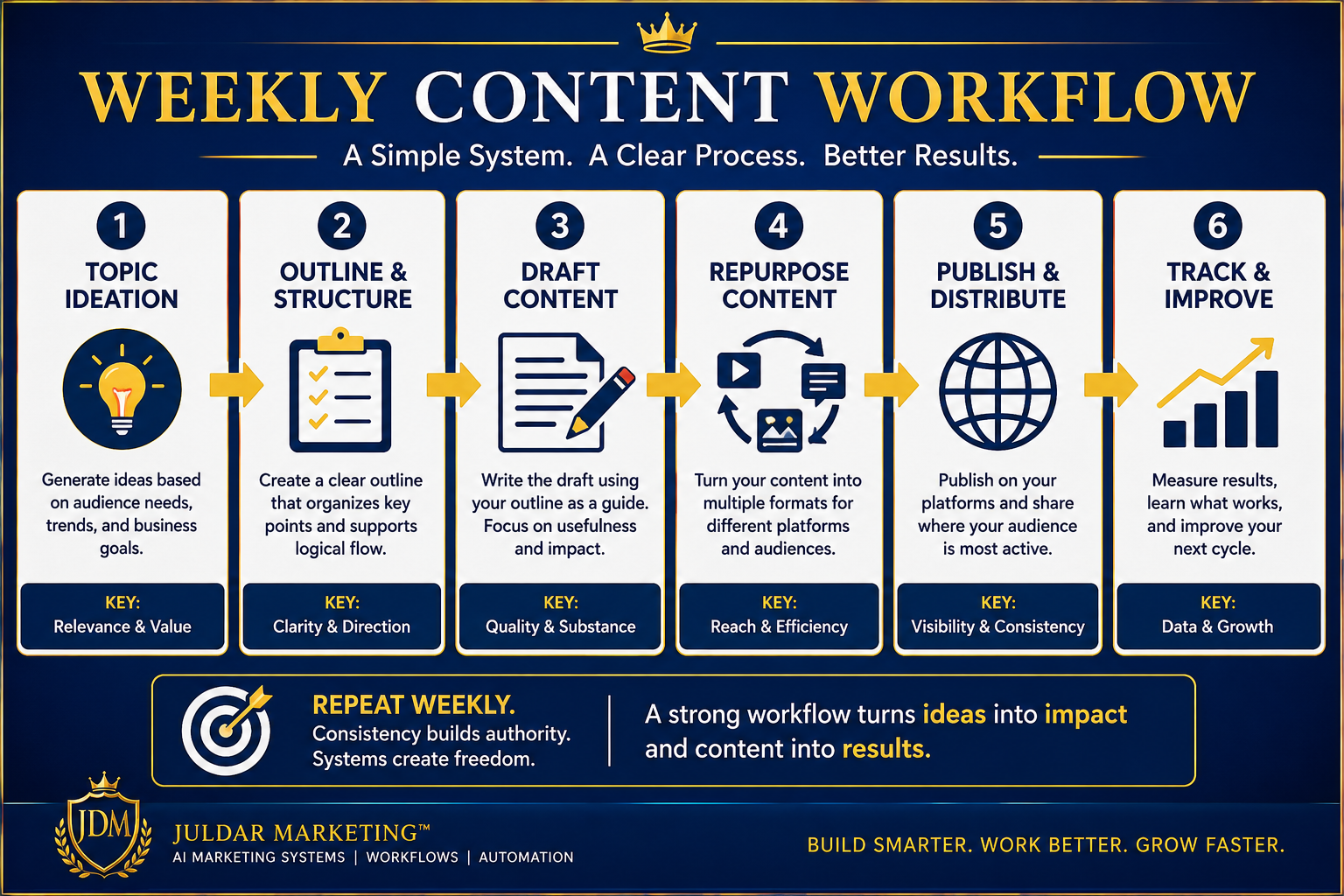
A Simple Example: Content Workflow
Let’s say you are trying to publish content more consistently.
A workflow-first approach would look something like this:
- Choose the topic — What problem or question are you addressing?
- Define the audience — Who needs this message?
- Build the outline — What are the core points?
- Draft the content — What will the article, post, video script, or email say?
- Repurpose the message — Can this become a Reel, LinkedIn post, Pin, or short video?
- Publish and track — Where will it go, and how did it perform?
Now AI can be used with purpose.
One tool can help with outlines. Another can help with repurposing. Another can help with visuals. Another can help with scripting.
But the workflow leads.
The tools support.
That is how AI starts becoming useful in daily business work.
AI Tools Should Reduce Friction, Not Add More
The right tool should make the work easier.
It should reduce friction.
It should help move a task forward faster and more consistently.
But when tools are added without structure, they often do the opposite.
Instead of simplifying the work, they create:
- more switching between apps
- more unfinished tasks
- more confusion
- more setup
- more digital clutter
That is not efficiency.
It is disguised distraction.
Real progress happens when a tool supports a meaningful task inside a repeatable process.
Better Standard
A tool should make the workflow easier, faster, or more consistent — not more complicated.
Systems Create Consistency
A tool can help you complete a task.
A workflow helps you repeat the task.
A system helps you do it consistently over time.
That is where business progress really begins.
If your business depends on content, you need a content system.
If your business depends on leads, you need a lead capture system.
If your business depends on follow-up, you need an email system.
If your business depends on digital products, you need a product creation and delivery system.
AI can support those systems.
But AI does not replace the need for structure.
The system is bigger than the tool.
Tools Help. Systems Move.
A tool helps with a task. A workflow helps repeat the task. A system helps create consistency.
How to Start Without Overcomplicating It
You do not need a perfect setup.
You just need a clearer starting point.
Begin with one workflow where you currently feel scattered.
That might be content creation, email follow-up, product research, social posting, lead magnet creation, client communication, or short-form video planning.
Ask These Five Questions
- What task am I trying to complete?
- What steps are involved?
- Where do I keep getting stuck?
- Which step could AI help with?
- What result do I want this workflow to produce?
Those questions create clarity.
And once the workflow is clear, choosing the right tool becomes much easier.
Workflow First. Tool Second.
AI tools can be powerful.
But power without direction still creates scattered results.
Before choosing another app, define the workflow.
Before adding another subscription, name the job.
Before chasing another shortcut, build the process.
The real advantage is knowing how your tools fit together.
Practical Guide
Build Smarter Daily AI Workflows
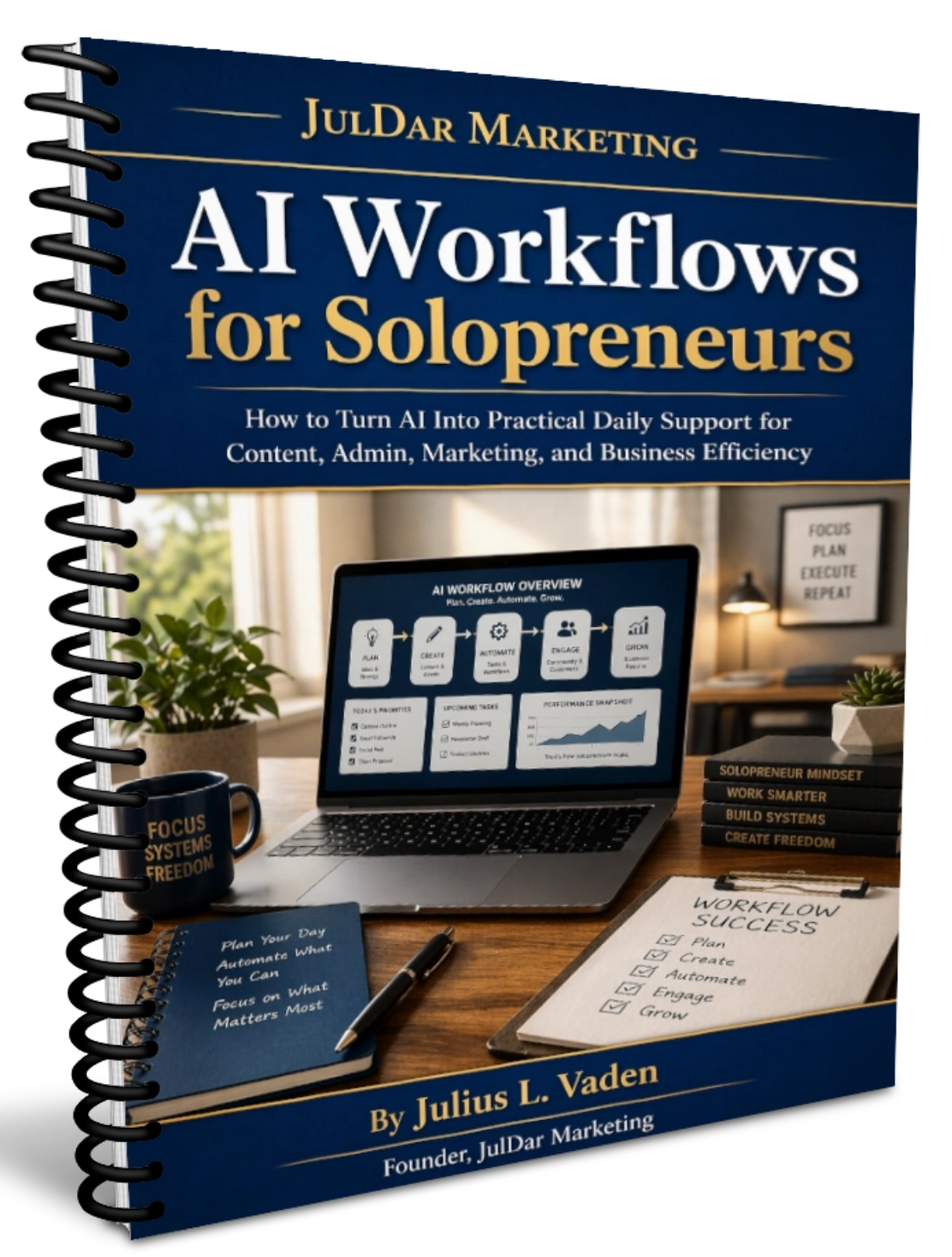
If you are trying to move from scattered AI tools to clearer daily systems, start with a workflow-first approach.
AI Workflows for Solopreneurs is designed to help business owners and solopreneurs think more clearly about how AI tools fit into practical, repeatable work.
Explore the Guide →Continue Learning
Explore the JDM AI Intelligence Portal
Access practical AI guides designed to help entrepreneurs and small business owners move from tool overwhelm toward clearer implementation and better workflows.
Visit the AI Portal →
JulDar Educational Resource Network™
Explore More Clarity-Based Resources
Continue exploring trusted educational resources designed to help you make informed business, wellness, and lifestyle decisions.
Business Clarity
Online income, AI, work-from-home, and digital business decision resources.
Visit JulDarMarketing.com →Oral Wellness Resources
Educational quizzes, guides, and resources for oral wellness decision support.
Visit FreshBite.net →Blood Sugar Awareness
Educational resources focused on awareness, lifestyle decisions, and informed choices.
Visit BloodSugarProblem.com →Created by JulDar Marketing • JulDarMarketing.com
Educational-use notice: This article is for educational and informational purposes only and does not provide financial, legal, tax, business, technology, platform-policy, advertising-compliance, or guaranteed income advice. No business, productivity, or income results are promised or guaranteed.